


If you are logged in into your WordPress admin account, you can easily change your password.
1. Login to your WordPress admin dashboard.
2. Under the dashboard menu, hover your mouse over Users and then click on Your Profile.
3. Scroll down, and under Account Management, you can see the New Password option. Click on the Generate Password button.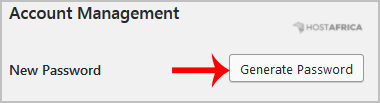
4. Copy the password to a safe place and then click on Update Profile to change your password.
پربازدید ترین
How to access the WordPress admin account
WordPress is a CMS software with an easy to access admin account and a simple to manage blog...
How to remote import a Wordpress site via Softaculous using cPanel or FTP login details
Login to cPanel then scroll down to the Softaculous Apps Installer heading then click on the...
Installing WordPress
1. Click on WordPress Toolkit 2. Click Install WordPress and set the parameters as you...
How to remove sample comments, posts on a new WordPress blog
If you installed a new WordPress blog system on your website, before writing new posts, you need...
How to start writing your first blog post in WordPress
1. Login to your WordPress admin dashboard. 2. Under the dashboard menu, hover your mouse on...
